
WordPress建站使用缓存软件之后,经常会出现“Error establishing a Redis connection”的提示,如图:

去宝塔面板查看后发现,是因为MongoDB或者Redis插件被关闭,你需要手动重启插件才行。
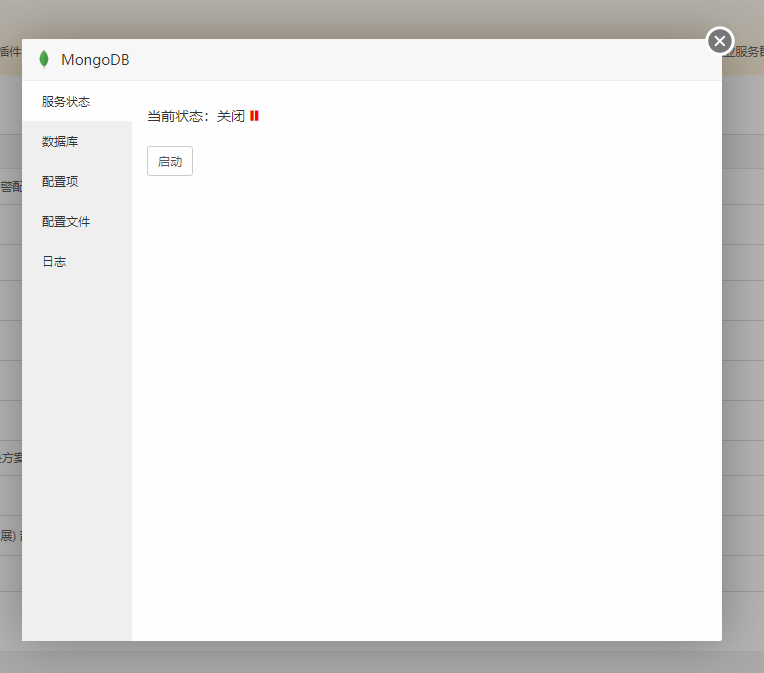
我也没找到具体原因,想着应该是数据过大(70w条帖子),也有可能是我的设置有问题或者wp程序自身对大数据的处理不够好,所以我想了办法,避免晚上网站宕机影响网站流量,所以就做了这个自动脚本。
#!/bin/bash

# 检测 Redis 是否在运行
redis_status=$(systemctl is-active redis.service)

if [ "$redis_status" != "active" ]; then
    echo "Redis is not running. Restarting Redis..."
    systemctl start redis.service
    echo "Redis restarted."
fi

# 检测网站是否可访问
website_url="http://xiu.xzwidea.cn"  # 替换为你要检测的网站 URL
http_status=$(curl -s -o /dev/null -w "%{http_code}" $website_url)

if [ "$http_status" != "200" ]; then
    echo "Website is not accessible. Restarting Redis..."
    systemctl restart redis.service
    echo "Redis restarted."
fi
设置计划任务,把这个Shell脚本添加到计划任务中,设置每一分钟检测一次:
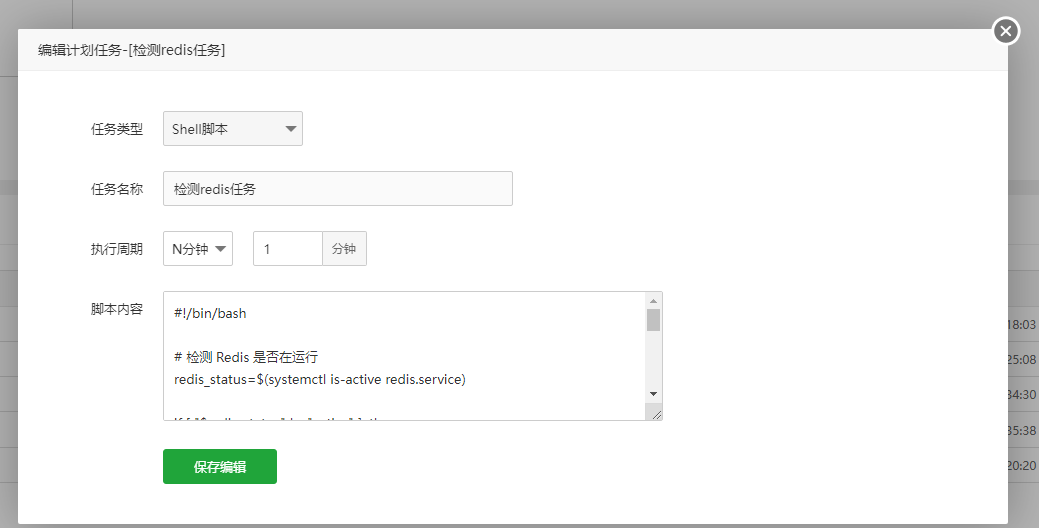
然后你会发现基本上出了问题就会自动处理了!
数据库的脚本1分钟:
#!/bin/bash PATH=/bin:/sbin:/usr/bin:/usr/sbin:/usr/local/bin:/usr/local/sbin:~/bin export PATH pgrep -x mysqld /dev/null if [ $? -ne 0 ] echo At time:$(date) :MySQL is stop . /var/log/mysql_messages service mysqld start fi数据库监控的脚本10分钟:
pgrep -x mysqld &> /dev/nullif [ $? -ne 0 ];thenbash /www/server/panel/script/rememory.sh/etc/init.d/mysqld startfi